Media Generation
The foundation for every scene.
- Image generationNano Banana Pro
Character
Creator’s process- Find the look.Use a reference: a PS3 game screenshot, a 3D model, outfits the character should wear. A rough direction is enough.
- Break it down.Have Claude or ChatGPT describe the style. The result is reusable language for how the character looks and how the image is rendered.
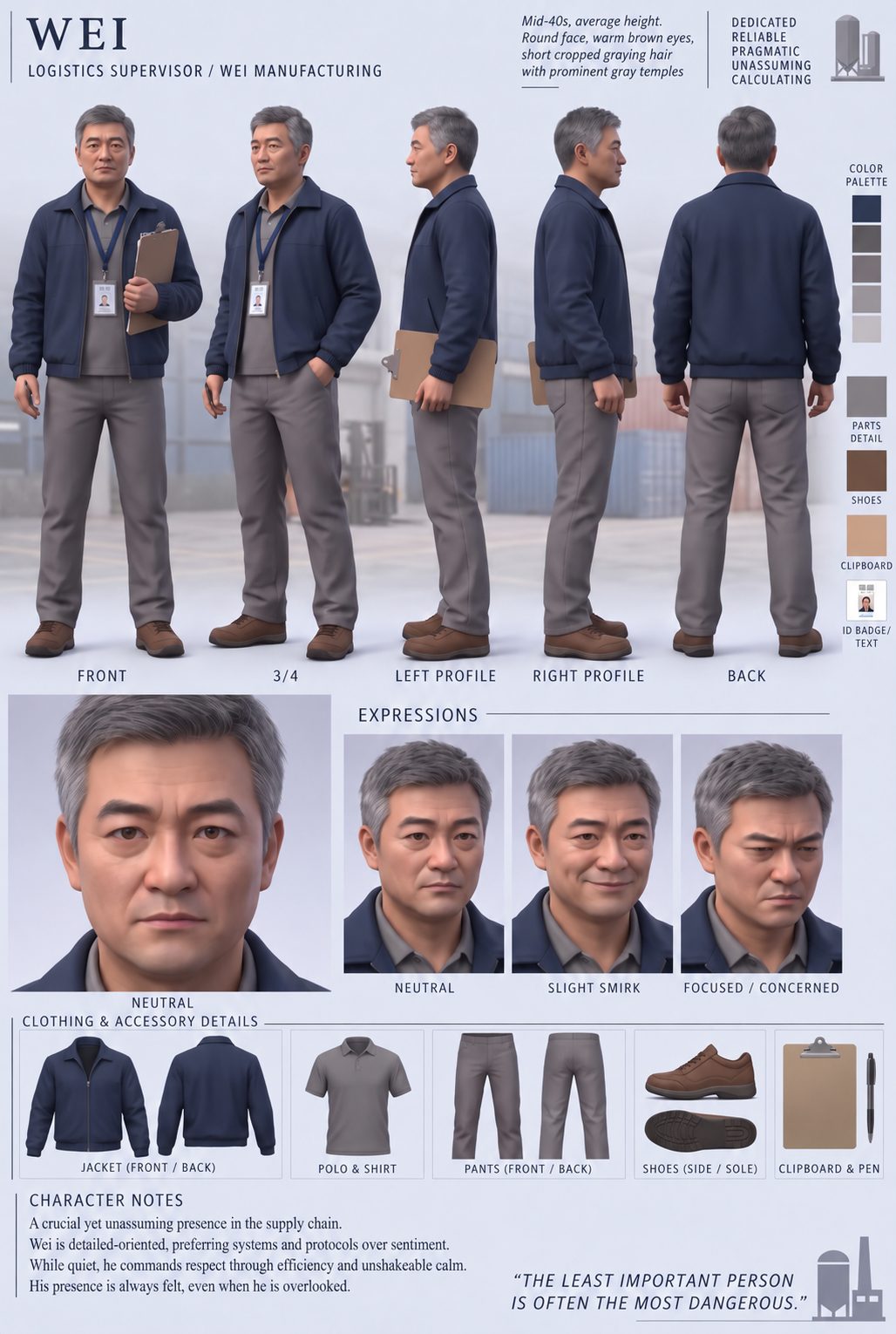
- Generate the character and style sheet.Give the description to Nano Banana Pro and ask for the character and a style sheet in that style. The sheet becomes the identity reference for every later scene.
Ask the AI for a similar-looking character. Don’t copy or use someone else’s intellectual property.
In a scene prompt, the character image controls identity: face, hair silhouette, proportions, wardrobe and accessories. If the scene uses a different style, the prompt asks for the character translated into it.
[what you want to make] in a 2009 video game style, PS3 Xbox 360 era in-engine render, detailed textures, realistic proportions, waxy skin shading.
Used with Nano Banana Pro. Replace the bracket with the subject: a character, a style sheet, a background, or a prop.
Here is a reference for a character I want to create.
Break it down into two parts:

1. Appearance — face, hair silhouette, proportions, clothing, accessories, colour palette.
2. Rendering style — geometry, textures, shading, lighting and anything else that makes it look like a PS3-era game render.

Then write a single description I can give to an image model to create an original character in this style, plus a character style sheet (front, side and back views, a few expressions, clothing details).
Example template written for this guide. Adapt it to your reference(s).
Background
Creator’s process- Find environment inspiration.A real location, a photo or a game level with the architecture, layout and colours the scene needs.
- Generate it in the same style.Use the same style line with the location as the subject:
[a rainy Guangzhou shopping plaza] in a 2009 video game style…The character and background then read as one world.
A screenshot captured directly from a fictional 2007 third-person console game set in Guangzhou. An unmistakably constructed 3D game level: angular storefront geometry, repeated window textures, low-resolution stone textures with visible tiling, painted lighting detail, simple shadow maps, flat foliage cards, and distant buildings fading into distance fog. Shop interiors are shallow textured façades. Glass uses simple tinted surfaces and approximate reflections. Wet paving has a broad artificial sheen. Preserve the reference plaza’s recognizable layout. Every visible surface, including the distant background, belongs to the same game engine. Original-era graphics, with no modern remaster treatment.
You can re-use this as a general style prompt too!
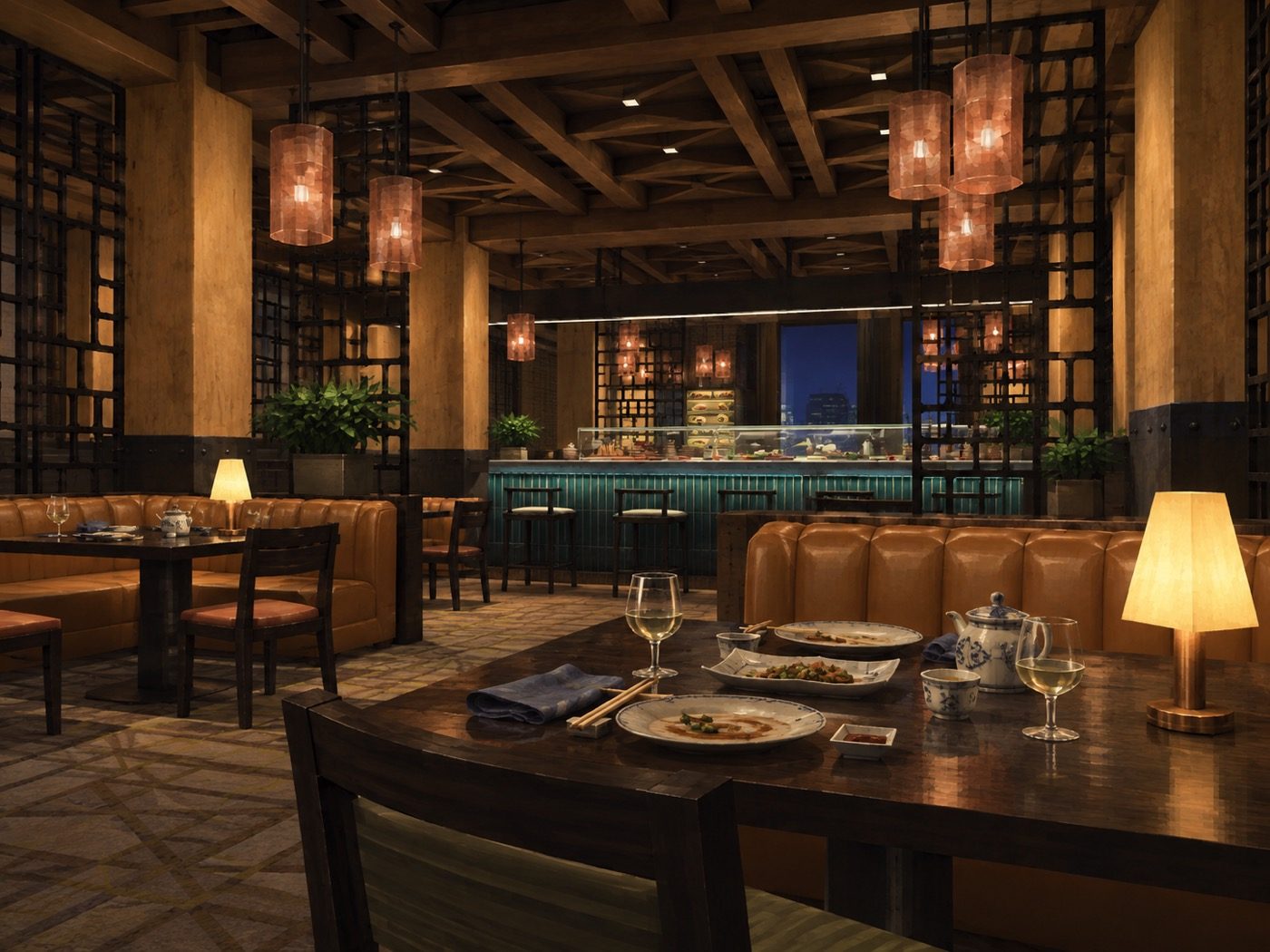
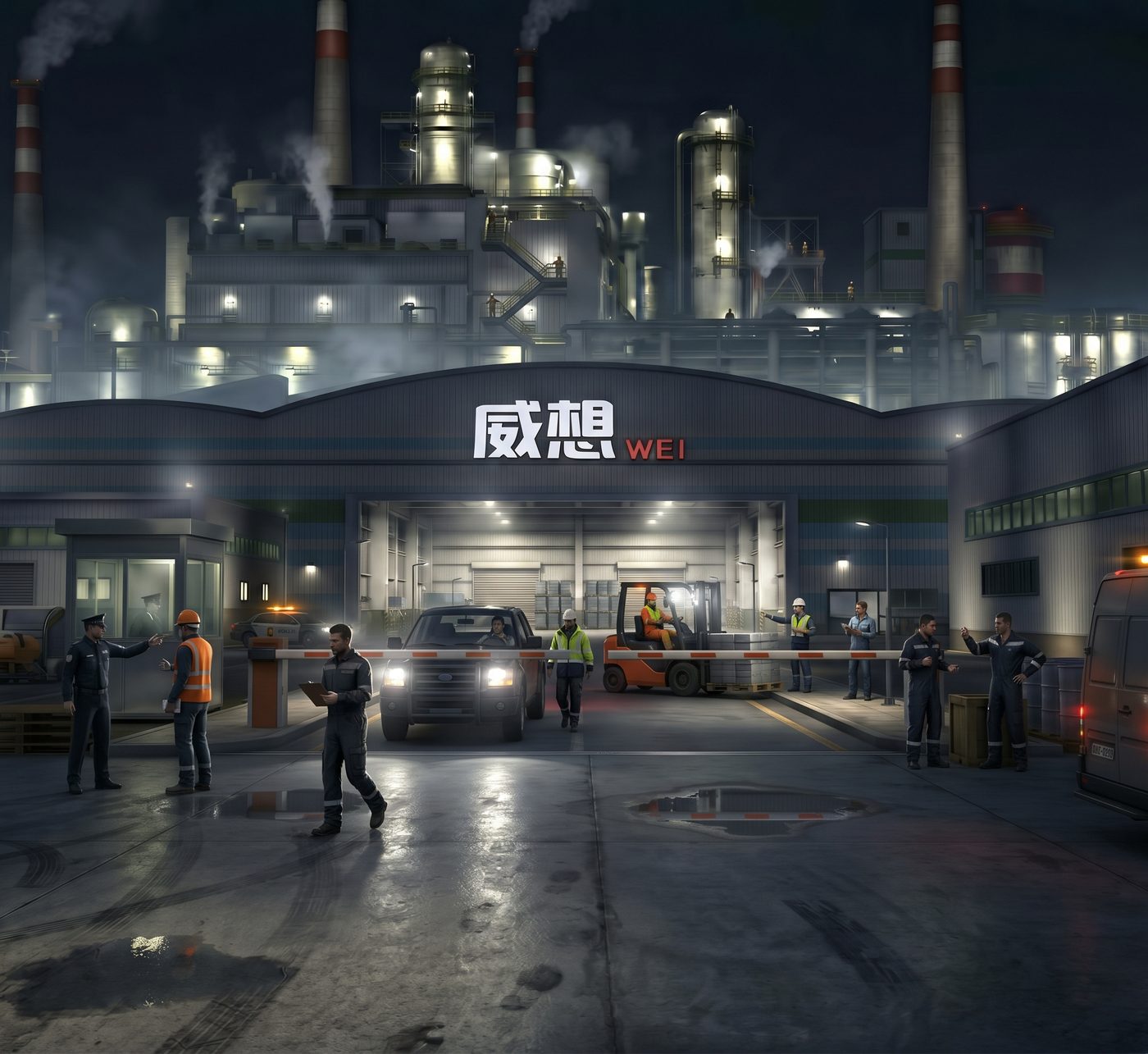
In a scene prompt, a photographic location image controls architecture, layout and colours only. A finished game-style scene image, with character and environment together, controls appearance.
The finished, rendered image is what made the videogame look stick, especially in backgrounds that tended to drift towards photorealism.
Props
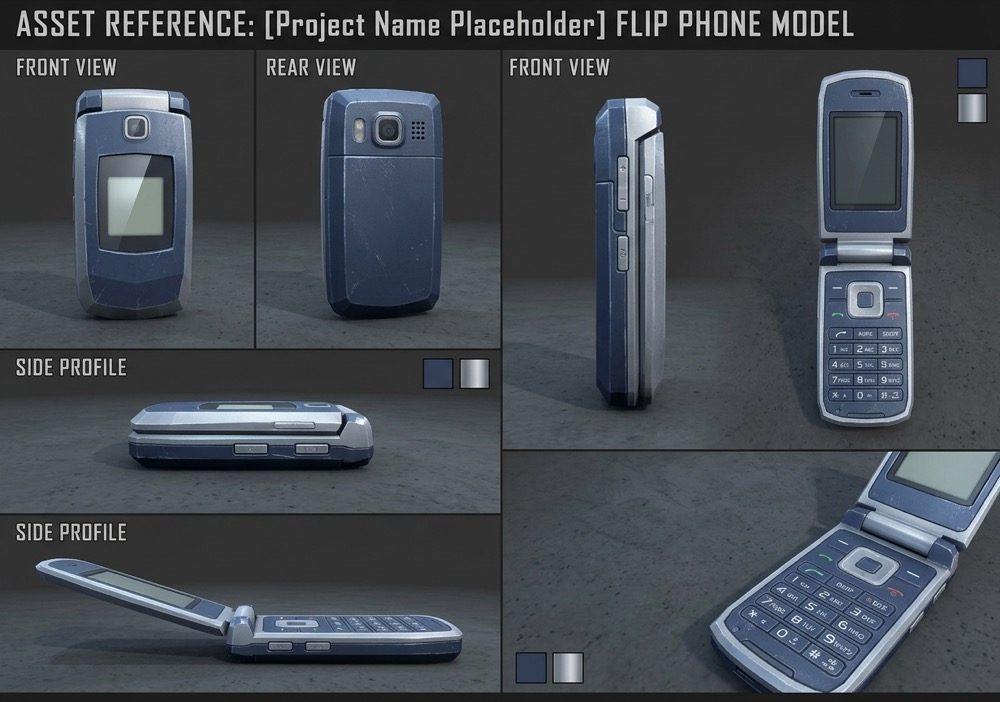
Creator’s processProps keep specific items consistent between generations. For example, a phone that may come into view.
Prop references were made with Nano Banana. They show the video model how small details should look. Use them as needed.
The main character’s necklace changes from video to video, and sometimes between scenes. That’s the kind of detail a prop reference is for.
A prop image controls prop identity: silhouette, colours, construction, material and markings. The prompt should also say who holds it and how (“fingers gripping the phone”) and keep that the same across cuts.